Track 9 · Lesson 5 of 5
Incident response, in six steps
Apply the six phases of incident response to a small incident on your own device: preparation, identification, containment, eradication, recovery and lessons learned.
Everything in this track has been building to this lesson. You wrote a baseline so you would know normal. You hashed files so a change would show. You read logs as a story and set up an alert so the phone would tell you. Now something has fired, or something feels wrong, and you have to act. The professional answer is not to panic and not to improvise. It is a fixed order of six phases, and it works just as well for a small incident on one phone as for a large one. This lesson walks the six phases on a made-up incident: a file on your device changed when you did not change it.
What you'll be able to do
- Name the six phases of incident response and what each one is for.
- Prepare by keeping the tools and copies you will need before you need them.
- Identify by taking a dated snapshot of the device rather than guessing.
- Contain, eradicate and recover in that order.
- Write down lessons learned, which is the step most people skip.
Step 1: Preparation
Preparation happens before anything goes wrong, which is why it is the first phase. If you have a baseline, a manifest of hashes and a working log, you are already prepared. Two things make the rest easier: a known-good copy of the files you care about, and a habit of taking dated snapshots. Set both up now.
$ mkdir -p ~/ir ~/ir/good
$ cp ~/watch/a.txt ~/ir/good/a.txt
$ date -u +%Y-%m-%dT%H:%M:%SZ
2026-10-25T04:28:39Z
The copy in ~/ir/good is your fallback. If the live file turns out to be wrong, you have a version you trust to put back. You do not want to be hunting for that copy in the middle of a problem.
Step 2: Identification
Identification is the work of finding out what actually happened, and the discipline here is to record before you act. Take one snapshot of the state of the device and write it to a dated file. Do not change anything yet.
$ { echo "== when =="; date -u +%Y-%m-%dT%H:%M:%SZ; echo "== listeners =="; ( ss -tuln 2>/dev/null || netstat -tuln 2>/dev/null || echo none ) | head -n 5; echo "== file =="; ls -l ~/watch/a.txt; sha256sum ~/watch/a.txt; } > ~/ir/incident.txt
$ cat ~/ir/incident.txt
== when ==
2026-10-25T04:28:39Z
== listeners ==
Netid State  Recv-Q Send-Q Local Address:Port Peer Address:Port
tcp   LISTEN 0      0            0.0.0.0:8080      0.0.0.0:*
== file ==
-rw-------. 1 sandbox sandbox 7 Oct 25 04:28 /data/data/com.termux/files/home/watch/a.txt
331d26d6d8f862e46ba900811be8a7a1e4dbaa229b14c99becfd5e5151490d95  /data/data/com.termux/files/home/watch/a.txt
Read it back with the baseline in hand. The ls -l line shows the permissions and the size. The sha256sum line is the current fingerprint, and comparing it with the one in your manifest is what confirms the change. The listener on 0.0.0.0 is a door open to the network, and if your baseline had none, that is a second question to answer.
The single most useful habit in this phase is to write the state down before you change it. Once you have restarted a service or deleted a file, the evidence is gone. A snapshot costs you one command and it is the only record of how things looked when the problem started.
Step 3: Containment
Containment means stopping the damage from spreading while you work out what happened. On a phone the usual move is to close the door that is open and stop anything you do not recognise. Contain, do not yet clean up: you want the situation stable, not tidy.
$ ss -tuln
$ ps -eo pid,comm | grep -v '^ *PID' | head -n 5
   82 sshd
  104 bash
  137 ps
If a listener is one you did not start, stop it now so nothing more can come in through it. If a process looks unfamiliar, note its id and its name in your incident file before you stop it, so the record stays complete. Containment is a holding action. It buys you the time to understand the problem.
Step 4: Eradication
Eradication is removing the cause. With a changed file, that usually means putting a known-good copy back and then finding what wrote to the bad one. Restore first, because a file you can trust is the foundation for everything after.
$ cp ~/ir/good/a.txt ~/watch/a.txt
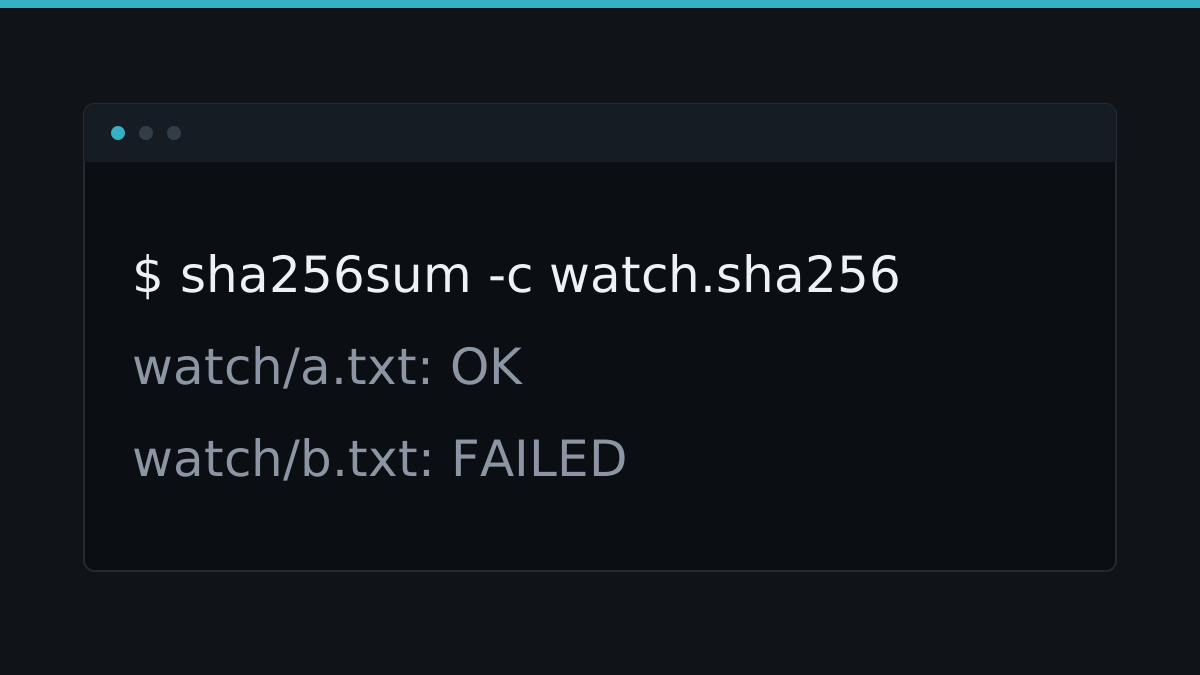
$ sha256sum -c ~/watch.sha256
watch/a.txt: OK
watch/b.txt: OK
The check now passes, so the live file matches the manifest again. Then find the cause. Search your own scripts and history for anything that writes to that path.
$ grep -rl 'watch/a.txt' ~/bin ~/.bash_history 2>/dev/nullIf a script you wrote rewrote the file, the cause is understood and the incident is closed. If nothing you own writes to it, the cause is still unknown, and you should treat that as an open question rather than declaring victory.
Step 5: Recovery
Recovery is returning the device to normal use, carefully, and watching to confirm it stays normal. Put your checks back on their schedule, read the log, and confirm the alert stays quiet.
$ crontab -l
0 * * * * /data/data/com.termux/files/home/bin/check.sh >> /data/data/com.termux/files/home/alert.log 2>&1
$ tail -n 2 ~/alert.log
2026-10-25T04:28:38Z ALERT new line: c
Recovery is not finished the moment the file is restored. It is finished when the device has run for a while with nothing new in the log. That quiet period is the evidence that the problem is actually over.
Step 6: Lessons learned
This is the phase most people skip, and it is the one that makes the next incident easier. Write down what happened, in the order it happened, and what you would change. A short note is enough, and it lives beside the incident file.
$ { echo "== lessons =="; echo "1. the watcher only covered ~/bin, not ~/watch"; echo "2. the alert log was only read weekly"; echo "3. the good copy was three weeks old"; } >> ~/ir/incident.txt
$ tail -n 4 ~/ir/incident.txt
== lessons ==
1. the watcher only covered ~/bin, not ~/watch
2. the alert log was only read weekly
3. the good copy was three weeks old
Each line points at one concrete change: widen the watch, read the log sooner, refresh the good copy. That is the loop closing. The baseline you took in the first lesson gets better because of what you learned here.
You cannot make a device perfectly secure, only less exposed. Somewhere along the line a change will get through your defences. That is why detection and response exist, and why the two are one subject. Detection finds it, response deals with it, and the lessons you write make the next detection a little faster.
Quick reference
| Command | What it does |
|---|---|
mkdir -p ~/ir/good | Makes a folder for known-good copies |
cp good live | Puts a trusted copy back in place |
date -u +%Y-%m-%dT%H:%M:%SZ | Stamps a snapshot with the time |
ss -tuln | Lists the listening ports |
ps -eo pid,comm | Lists running processes with their ids |
ls -l file | Shows a file's permissions and size |
sha256sum file | Prints the file's current fingerprint |
sha256sum -c manifest | Confirms files still match their hashes |
grep -rl 'text' dir | Lists files in a tree that contain text |
crontab -l | Confirms the scheduled checks are in place |
Next steps
- Baselines: writing down what normal is is the preparation phase done properly, before you need it.
- Alerting on your own device is the detection half of this loop.
- Reading logs for a story is how you build the timeline the identification phase asks for.
Test yourself on this
4 questions and 1 task where you run a real command, with the reasoning explained either way.